Cancellation Cancelled: Cebu → Baybay, Saturday 12 September, 9:00 PM+3 more

Roble Shipping Inc.Cancellations
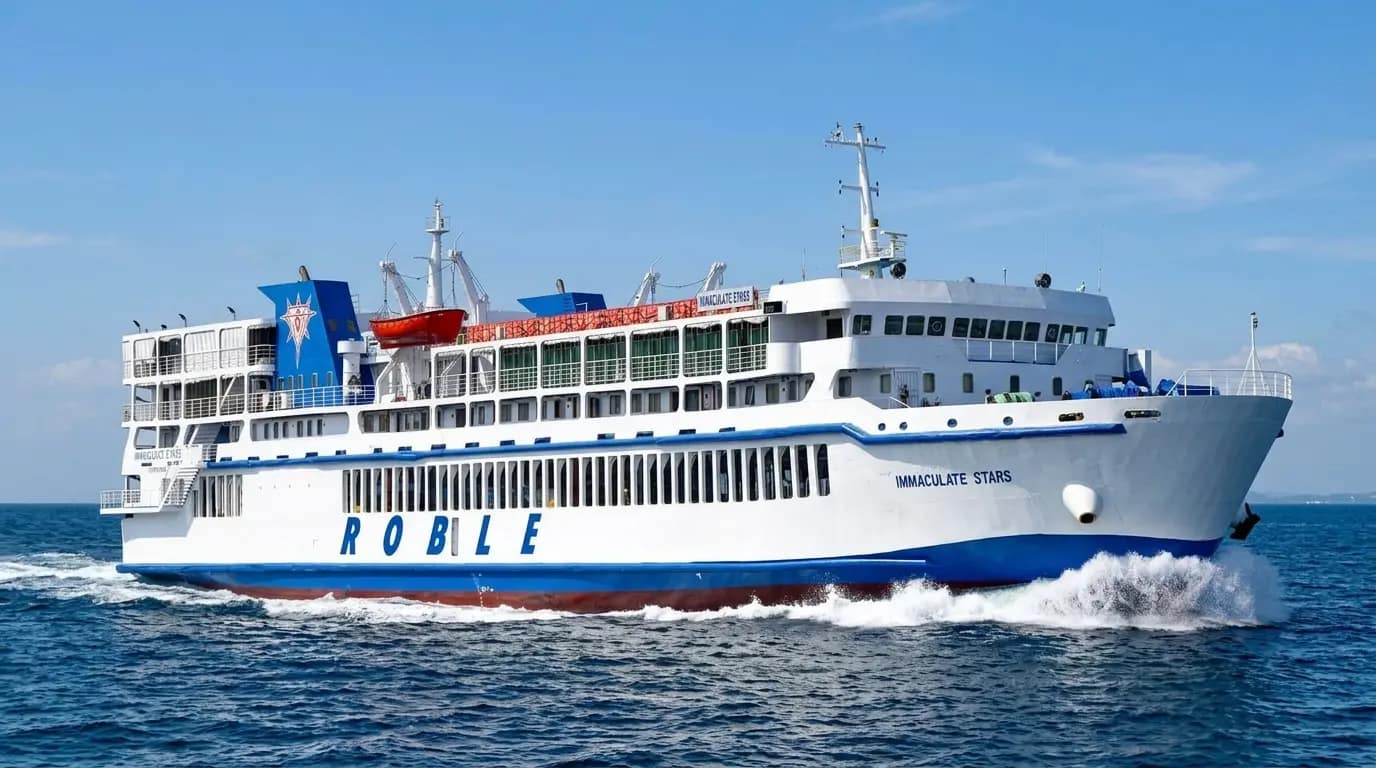
Illustrative rendering of a Roble-livery RORO vessel under way in daylight, based on MV Immaculate Stars.

Prepared by iStart International

Everything you get.

We would show four of them first: booking online, following a shipment, the numbers on management’s phone, and the weather the captain sails into. That is our pick — the other 27 are set out in full below, 31 in all, and any of them can take their place.

See the highlights

Illustrative rendering based on MV Immaculate Stars.

The site in numbers

31

Functionalities

4 highlights · 31 in total

58

Pages

Every route, port, vessel and fare has its own

90

Mobile speed score

Up from 22 on the current site

0.47MB

Data per visit

Down from 19.7 MB

Highlights

Four we would show first

These are the four we think will change the most for passengers, shippers and management — our pick, not a ranking. You know the business better than we do; the full list is below, and any of them can move up.

Online booking for passengers and cargo

Book a sailing

robleshipping.com / book

  1. Sailing
  2. Class
  3. 3Pay

Cebu City → Hilongos

9:00 PM · MV Immaculate Stars · 5 h

  • Sitting430 pesos
  • Economy480 pesos
  • Tourist680 pesos
Pay withGCashMayaCard1,420 pesos

E-ticket — scan at the gangway

RSL-7F3K92 · 2 passengers · Tourist

Sent by email. The same code counts them aboard.

Reserve or buy a seat, a cabin or a vehicle slot from a phone, and reach the pier with the QR code already in hand.
Open full page

Cargo tracking

Track a shipment

CGO-2291

GAB 47216-wheeler · 4.2 m · Cebu → Hilongos
  1. Received at yardFri 4:12 PM

    Cebu · bay 3

  2. LoadedFri 8:31 PM

    Deck 2 · photo taken

  3. SailedFri 9:04 PM

    MV Immaculate Stars

  4. ArrivedSat 2:10 AM

    Hilongos, expected

  5. Released—

    To the consignee, on presentation of the gate pass

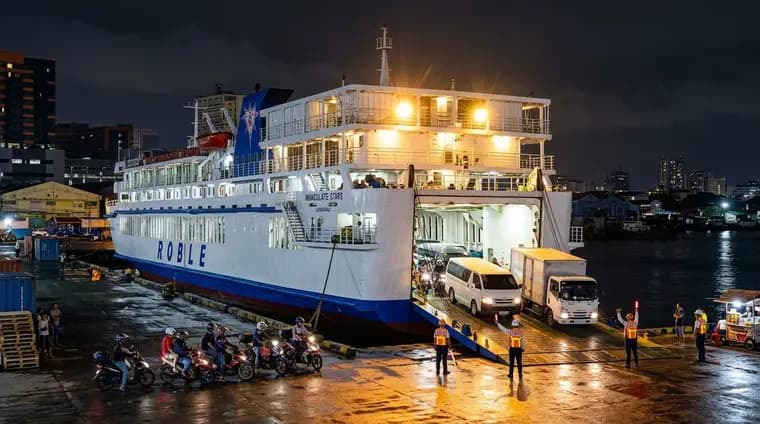
Illustrative image of a vehicle being loaded over the stern ramp at night.
Ramp photo, 8:31 PM. Illustrative image.

Plate history: 14 crossings with Roble since March.

The shipper follows a vehicle or a shipment through five stages — received, loaded, sailed, arrived, released — with photographs from the ramp.

Open full page

Reports for management, on the CEO's phone

Roble · Today

7:00 AM

86%

Occupancy tonight

₱412,800

Revenue today

94%

On time, 7 days

7

Open inquiries

Load factor, 7 days

  • Cebu → Ormoc ran 42 % full on Tuesday
  • 2 cancellations · weather

Daily summary, sent 7:00 AM.

On the CEO’s phone, 7 AM every day.

Live occupancy, revenue, load factor and on-time performance in one screen — and a summary that arrives at 7 AM every day.

Open full page

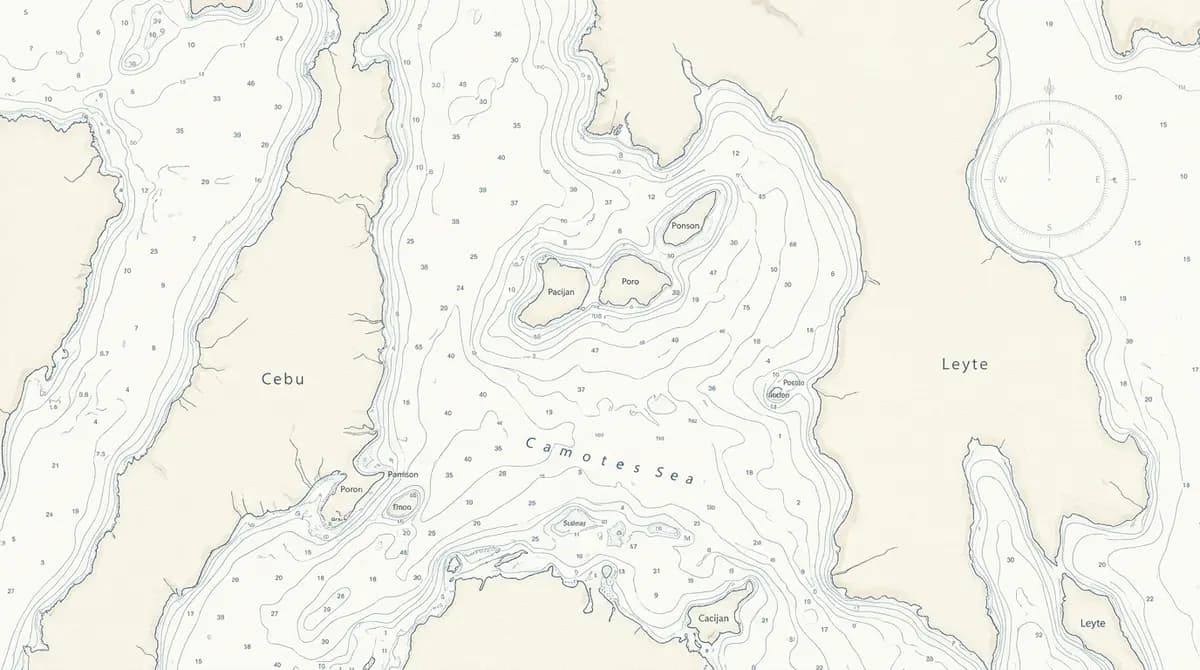
The captain's weather viewer

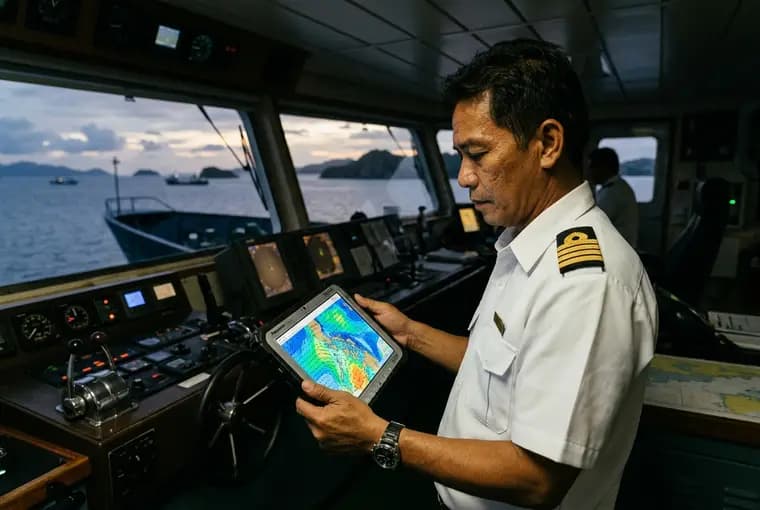
Illustrative image: a ship's officer reading a weather chart on a tablet on the bridge at dusk.PAGASA Signal No. 1 · Eastern Samar

Tonight’s crossing

Cebu → Hilongos 9:00 PM · wind NE 15 kt · waves 1.2 m · rain from 2 AM

Illustrative image: an officer with the viewer on the bridge. The strip is the viewer’s own output.

Wind, waves, swell, pressure and rain for the next 72 hours, on a chart of Roble's own routes.

Open full page

And that’s not all

You also get 27 more functionalities

Everything from the live sailings board and the booking-office map to passenger check-in at the gangway and the captain's bridge tools — set out below in the three parts they come in. The four highlights are in there too, each one in the group it belongs to, so with them that is 31 in total. Here is the full list.

31 in total: 17 with the website, 7 more with the app, 7 more with Starlink.

With the website

17 functionalities

The public site and the control room behind it: sailings, fares, advisories and inquiries in one place, kept current by Roble's own staff. These 17 are what the website gives Roble on its own, with nothing else bought or installed.

2 of them are among the highlights shown above, and are first in the list.

  1. Online booking for passengers and cargo

    Highlighted above

    Shows what is actually left on a sailing, class by class, from Roble's own seat and cabin inventory. Takes payment by GCash, Maya or card — or holds the seats and lets the passenger pay at an office within a set time.

    Open its full page

  2. Reports for management, on the CEO's phone

    Highlighted above

    Occupancy per sailing, live, class by class. Revenue today and this week, passage and freight kept apart.

    Open its full page

  3. Sailing search

    Choose from, to and a date; see the sailings for that day with departure time, vessel and lowest fare. If there is no sailing that day, the next available dates are offered.

    Open it in the demo

  4. Live sailings board

    The next departures on every route, in Cebu time, each marked on time, boarding, departed, cancelled or on hold. Updates itself every 30 seconds.

    Open it in the demo

  5. Route timetables

    One page per route with both directions by weekday, the vessel, crossing time and the current advisories for that route.

    Open it in the demo

  6. Fare tables

    Every accommodation class with its regular, senior/PWD, student, solo-parent, seafarer and minor fare, exactly as published.

    Open it in the demo

  7. Fare calculator

    Pick a route, a class and the passengers by type; the total appears with the temporary fuel surcharge shown as its own line, plus the documents to bring for each discount.

    Open it in the demo

  8. Requirements checker

    Two questions produce the exact checklist for minors travelling alone or with another adult, medical conditions, discount IDs and vehicles.

    Open it in the demo

  9. Booking offices map

    All six offices on a map with hours, an open-now indicator, directions, one-tap calling and sorting by distance from the passenger.

    Open it in the demo

  10. Advisories

    Surcharges, schedule changes, cancellations and policy notices, each with effective dates and affected routes, shown in a banner on every page while active.

    Open it in the demo

  11. Destinations and fleet

    A page per port (sailings, port map, local office) and per vessel (cabin classes with photos and fares, amenities).

    Open it in the demo

  12. Eleven languages

    One tap switches the interface between English, Cebuano, Filipino, Ilocano, Hiligaynon, Waray, Bikol, Kapampangan, Pangasinan, Tausug and Chavacano, and every page can be carried the whole way into any of them once the wording has been read by someone who speaks it.

    Needs — A native-speaker review of each language's wording

  13. Print and share

    Any route page can be printed or sent as a link from a phone, for a passenger who wants to share a schedule or keep a copy.

  14. Passenger notifications

    Advisories sent automatically to subscribers by route. Free channels first: notifications from the website itself, email, automatic posts to Roble's Viber, Messenger or Facebook. SMS (about ₱0.50–1 per text) reserved for cancellations.

    Needs — Sender registration and SMS credits

  15. Published freight rates

    Freight tables online, kept current from the control room like passenger fares.

    Needs — The current freight tariff

  16. Staff accounts and roles

    Separate logins for passage, freight, HR and management; each sees only their part of the control room.

    Needs — A staff list

  17. Automatic social posting

    Every published advisory also posts to Roble's Facebook Page, so the passengers who watch the Page see the same notice at the same moment.

    Needs — Facebook Page admin access

Add the app

7 more functionalities

The app is the same system in the hands of the crew and the pier staff, on ordinary Android tablets and phones. It adds these 7 on top of the website's 17 — they are extra, not a share of them. Every device works offline and syncs at the pier.

2 of them are among the highlights shown above, and are first in the list.

  1. Cargo tracking

    Highlighted above

    Five plain stages with the time each one happened: received at the yard, loaded, sailed, arrived, released. Photographs taken at the ramp — the vehicle and its plate as it is loaded, and again as it is released.

    Open its full page

  2. The captain's weather viewer

    Highlighted above

    Wind, waves, swell, pressure and rain for 72 hours, drawn on a chart of Roble's routes rather than a national map. PAGASA signals and typhoon tracks laid over the same chart, with JTWC's track beside them.

    Open its full page

  3. Gangway — passenger check-in

    Scans the QR code on a printed ticket, e-ticket or reservation. Counts boarded passengers against the manifest in real time, rejects a ticket used twice or for the wrong sailing, and flags discount tickets for an ID check.

    Needs — An ordinary Android phone or tablet at the gangway

  4. Ramp and yard — cargo and vehicle check-in

    Scans the QR code on a gate pass or cargo booking, photographs the vehicle and plate, records the deck position, and marks loaded and unloaded. Optionally a plate-reading camera (ANPR) at the gate records every plate in and out and alerts staff to a vehicle with no booking.

    Needs — A device at the ramp and at the yard gate

  5. Information desk — passenger service

    Looks up any booking, shows cabin and seat availability for the sailing, sells an upgrade (Economy to Tourist, Tourist to Cabin) with a payment reference, re-issues a lost ticket, and answers “where is my cargo”.

    Needs — A device at the desk

  6. Bridge — captain and officers

    One tap sets the sailing status — boarding, departed, delayed with a reason, arrived — and the public sailings board updates at once. Sends announcements to passengers' phones, holds the digital manifest for the Coast Guard and MARINA, and carries an emergency panel: medical, fire, man overboard, security.

    Needs — A tablet on the bridge

  7. Offline first

    Scans, sales and status changes are stored on the device and sent when the ship reaches port or, with Starlink on board, immediately. Because boarding is scanned, the ship always knows how many people are on board, and in an emergency the bridge sees checked-in versus accounted-for, by deck, in seconds.

Add Starlink

7 more functionalities

The 24 above run on ordinary mobile data at the piers. These 7 need the ship to be online while it is sailing, which today means a satellite link on the vessel — a separate subscription, described further down.

  1. Live vessel position

    Each ship on a map on the website and app, from its own GPS, with an estimated arrival time.

    Needs — A link at sea

  2. Automatic on-time status

    The public sailings board switches to boarding, departed, delayed or arrived from the ship's actual movement, without anyone typing.

    Needs — A link at sea

  3. Real-time sync at sea

    Check-ins, upgrades sold on board and cargo status reach the office as they happen, not at the next port. Occupancy and revenue are live.

    Needs — A link at sea

  4. Bridge alerts and announcements

    The emergency panel and passenger announcements work mid-crossing; the office and the Coast Guard number are one press away.

    Needs — A link at sea

  5. Weather and advisories on the bridge

    PAGASA bulletins and the office's advisories reach the captain while sailing; a cancellation or diversion is published from the bridge at once.

    Needs — A link at sea

  6. Remote CCTV on demand

    Recordings stay on the ship; the office can open a camera or receive short event clips during the crossing — useful to the office and to onboard security alike.

    Needs — A link at sea, and cameras already on board

  7. Passenger and crew Wi-Fi

    Internet for passengers on board, free or sold in packages, within the limits of the satellite plan; messages home for the crew on overnight sailings.

    Needs — A link at sea on a larger data plan

Honest about the one that costs

Everything in the website and the app works with ordinary mobile data at the piers. A handful of functions need the ship to be online while sailing. The only practical way to do that in the Philippines today is a Starlink satellite link on each vessel. 2GO Travel offers Starlink Wi-Fi on selected vessels (2026).

Cost, in round terms

Each vessel needs a marine antenna kit (a one-time cost in the low six figures in pesos) and a business subscription for use at sea (a monthly cost in the tens of thousands of pesos per vessel, depending on the data allowance). Plans are metered: the operational functions use very little data; passenger internet uses a great deal and needs the larger, costlier plans. Prices change with the exchange rate; we can prepare an exact quotation on request.

Software and network are separate

iStart builds and supports the software that uses the link: the live map, the status board, the bridge tools and the synchronisation. The satellite subscription, the antenna installation and the on-board Wi-Fi network are separate items, supplied and supported by the satellite and network providers; they are not part of iStart's technical support. If Roble is interested, we look into it together as a separate piece of work.

How it runs

Four steps from this demo to a live site

  1. Step 1

    Demo review

    We walk through this demo together and agree what Roble wants, function by function, and in what order it matters.

  2. Step 2

    Content and photography

    Roble's own fares, schedules, fleet details and photographs replace the demo placeholders.

  3. Step 3

    Build and test

    Two to three months of building against Roble's real systems, tested with Roble's own staff before anything is opened to the public.

  4. Step 4

    Launch and support

    The site and the app go live for passengers and staff together, when everything is ready — with iStart supporting it afterward.

Who provides what

So nothing is assumed

iStart provides

  • The website — sailings, fares, bookings and advisories in one place
  • Online booking for passengers and cargo, with e-tickets and QR check-in
  • Cargo tracking, from the yard gate to release
  • The management reports, on a phone, and the 7 AM daily summary
  • The gangway, ramp and yard, information desk and bridge apps, working offline and syncing at the pier
  • The captain's weather viewer on the bridge device
  • If Roble adds Starlink: the software that uses the link — the live map, the status board, the bridge tools and the synchronisation
  • Build, testing, launch and ongoing support for all of the above

Roble provides

  • Seat and cabin inventory, a payment provider account and the booking rules, for online booking
  • The freight tariff and the yard process, for cargo booking and published rates
  • Status updates from yard and ramp staff, for cargo tracking
  • A staff list and a decision on who may see revenue, for accounts, roles and reports
  • A wave-height threshold, for the weather alert
  • Sender registration and SMS credits, for passenger notifications
  • A native-speaker review of each language's wording, for the eleven languages
  • Facebook Page admin access, for automatic social posting
  • Android phones or tablets at the gangway, the ramp, the yard gate, the desk and the bridge
  • A decision on Starlink — the satellite subscription, antenna installation and on-board Wi-Fi network are supplied and supported separately by the satellite and network providers

How the project runs, in four steps

Our recommendation

One build. Starlink is optional.

The website and app ship together as one build, launched when everything is ready. Starlink is a separate satellite subscription, not software — Roble can add it anytime.

31 functionalities58 pages4 on-board devices